

Google AI Studio Isn’t a Coding Tool. It’s an Intent-to-Reality Engine — with Gamal Jastram | Cove Connect
Technical experience paired with an interpretive lens.



When life gets loud, building usually stops. Not because people run out of ideas — but because most tools demand clarity at the exact moment clarity is unavailable.
Weeks ago, my collaborator Gamal Jastram — the builder behind Cove Connect, where he shares real-world AI workflow insights, automation tutorials, and hard-learned dev journey lessons — faced what he called his “Battle of Thermopylae.” A personal crisis. No spare bandwidth. No clean blocks of time. The kind of week where he opened his laptop three times before committing, the first instinct to postpone building entirely.
For someone who teaches creators to move from writing code to architecting automation and shipping tangible value, pausing creation wasn’t an option. But neither was grinding through technical work when his mind was elsewhere.
And yet — something unexpected happened. Instead of retreating, Gamal used Google AI Studio to move his project forward without touching code, frameworks, or manual setup. Not as a productivity hack. Not as “vibe coding.” He used it as an Intent-to-Reality Engine — leaning on the same build-in-public pragmatism he shares with his Cove Crew community of forward-thinking builders.
This is not a story about speed. It’s not a story about ClariSynth designing a perfect outcome. We didn’t design this outcome. We observed it — then asked why it held up under pressure. It’s a story about what happens when a technical builder uses a purpose-built tool under real constraints — and how that intersection reveals a new, more human way of building with AI, one that centers what humans can preserve under pressure, not just what AI can do.


The Design Failure of “Coding Tools” — and What AI Studio Changes
For decades, building something digital has been held hostage by a false assumption: To create, you must code. To code, you must master syntax, debug errors, and speak the language of machines.
This is a design failure, not a skill gap. Coding tools are built for ideal conditions: quiet rooms, uninterrupted hours, and the mental bandwidth to juggle two conflicting roles — the creative (defining what to build) and the technical (figuring out how to build it). They punish you for being human: for forgetting a semicolon when you’re tired, for struggling to focus during a crisis, for not having the time to learn a new framework.
Most people respond by abandoning their ideas. But the problem isn’t lack of skill — it’s lack of tools that meet humans where we are. Google AI Studio changes the constraint. It relocates execution complexity away from the builder — and it’s why a technical builder like Gamal trusted it under pressure. It’s not a better coding tool, but a unified environment where intent, execution, and interface work in tandem. It lets you speak in plain language (“I need a tool that helps beginners use Google Antigravity without overwhelming them”) and handles the technical translation itself — no manual API setup, no custom code scaffolding, no post-generation debugging.
For Gamal, this meant keeping his project alive during a crisis — not because the tool eliminated work, but because it contained the work he didn’t have bandwidth for. This isn’t about Google winning. It’s about AI Studio being one of the first mainstream environments where the chaos of building is moved out of the human’s way — and that’s why it held up when every other tool would have felt like a burden.
None of this removes engineering complexity — it relocates it into the system instead of the human. AI Studio’s power isn’t in magic; it’s in deliberate engineering that encapsulates the repetitive, bandwidth-draining parts of building so builders can focus on what only they can do: define value, set boundaries, and judge what matters. This respects the work of engineers — it doesn’t erase it.


Architect vs. Laborer
The root of all AI frustration is role conflict. We force humans to be both Architect and Laborer — creative and technical, intentional and precise — and wonder why we burn out, abandon projects, or feel disconnected from our work. What Gamal’s experience reveals is that AI Studio solves this conflict by structurally enforcing a clear role split — a pattern that aligns with something we’ve observed across hundreds of constrained build scenarios.
This isn’t a “ClariSynth framework” that we imposed on the experience; it’s a cognitive pattern we identified by unpacking what Gamal did instinctively under pressure. It resolves friction by separating the two roles cleanly, with no overlap:

Human = Architect (Your Irreplaceable Role )
You own the “what” and “why” — the parts of creation that only a human can define, even for a technical builder like Gamal:
Intent: The core friction you’re solving. For Gamal, this was specific: “I need a tool that turns vague beginner ideas into Antigravity-ready prompts — no jargon, no extra steps.”
Judgment: Does the final product feel true to your vision? Does it ship value, not just code? Gamal’s split-second call to lock the prototype (instead of refining it) was this role in action — human judgment, not AI automation.
Boundaries: The non-negotiables that protect your work’s integrity. For Gamal, this meant “one core action only,” “copy-paste ready output,” and “no technical language” — red lines he set before generating anything, which kept the tool focused when he couldn’t afford to course-correct.
These are your superpowers — even for technical builders. They’re why audiences trust Gamal’s work, why clients hire you, and why your build feels unique. AI can’t replicate taste, values, or context-specific judgment.

AI = Laborer (The Tool’s Role)
The tool owns the “how” — the repetitive, bandwidth-draining work that adds no unique value, even for a dev with Gamal’s skills:
Syntax: Writing code in Python, JavaScript, and React for the frontend and backend.
Scaffolding: Setting up folders, integrating Antigravity’s API, and configuring data persistence.
UI Layout: Designing a linear, mobile-responsive interface that aligned with Gamal’s “no-nonsense” vibe.
Debugging: Fixing silent errors (e.g., API call timeouts) and optimizing performance — all in the background, with no input from Gamal.
This is AI’s superpower. It doesn’t get tired, doesn’t forget syntax, and doesn’t burn out from repetitive work. Offloading these tasks freed Gamal up to focus on what only he could do: architecting the tool’s purpose — even when his mental bandwidth was at its lowest.
Google AI Studio isn’t special because it’s “smart”; it’s special because it’s one of the first mainstream environments where this split is enforced by default instead of asking humans to toggle between roles. It doesn’t ask you to learn code (though basic familiarity never hurts). It asks you to clarify your intent — and then it delivers on it, without forcing you to do the labor.
For Gamal, this wasn’t a philosophy exercise. It was a decision made between crisis calls.
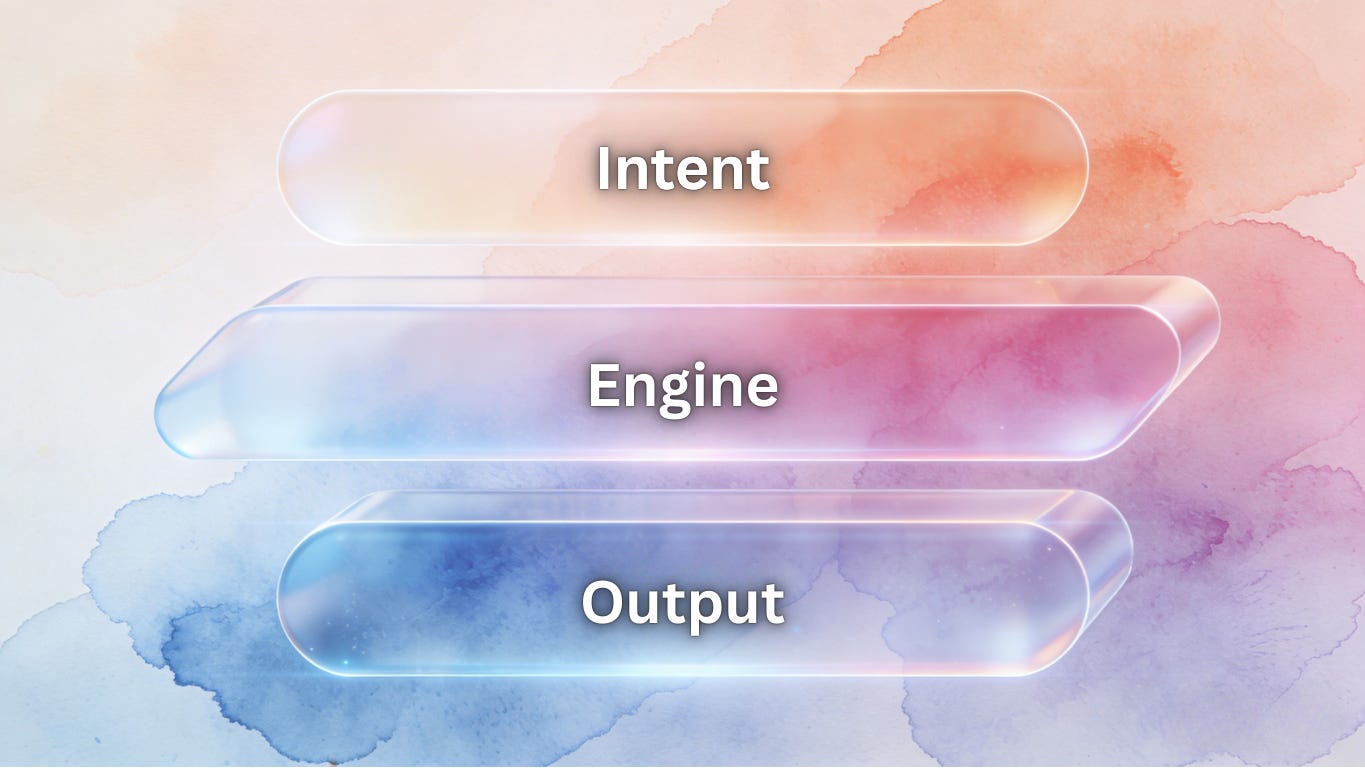
Inside the Intent-to-Reality Engine (Gamal’s Technical Observations)
To understand why this worked for Gamal — a builder who’s skeptical of overhyped AI tools — we need to look beyond “features” and see the stack as a system designed for constrained building. Every component plays a role in turning intent into reality without draining bandwidth, and Gamal noticed three critical technical details that made the tool trustworthy under pressure. Gamal could have achieved this manually — but doing so would have required focused engineering time he did not have.
1. AI Studio (Build Mode) → Intent Interpreter (No Drift)
This is the front door to the engine, and what surprised Gamal most was its lack of intent drift. Unlike prompt-based AI systems that add extra features or misinterpret vague language, AI Studio’s Build Mode stuck strictly to the boundaries he set. It translated his plain-language intent into a cohesive, functional artifact — a simple prompt generator for Antigravity beginners — with no extra bells and whistles, no unrequested UI elements, no drift from his core goal. For a technical builder, this predictability is gold — especially when you don’t have time to fix AI mistakes.
2. Antigravity → Mission Control for Heavy Lifting (No Manual Coordination)
For projects requiring complex logic or agent coordination (like linking prompt generation to Antigravity’s workflow engine), Antigravity handled the heavy lifting in the background. Gamal expected to have to manually configure agent roles and API triggers — a task that would have taken 30+ minutes of focused work — but AI Studio integrated with Antigravity natively, handling all coordination automatically. He never saw the chaos; he just saw his intent come to life.
3. Stitch → Surface Coherence (UI Calm) (No Cognitive Load)
A tool’s design shouldn’t add friction, and Gamal’s number one priority for the beginner tool was ultra-minimal UI. Stitch delivered on this: large buttons, a linear flow (input idea → get prompt → copy), and no confusing menus. It prioritized clarity over flash, making a technical tool feel approachable — exactly what Gamal needed, even if he didn’t have the bandwidth to specify every design detail.
What mattered wasn’t the components individually — it was that they formed a closed loop around intent. No component operated in isolation; every part of the stack served the core friction Gamal defined, with no detours, no extra features, no noise. That closed loop is what made the build possible under crisis — and it’s the core system insight of the Intent-to-Reality pattern.
This stack doesn’t make building faster. It makes building possible when you’re stretched thin. AI Studio trades flexibility for containment — and that tradeoff is exactly why it works under constraint. Power users may miss the ability to customize every line of code, but for builders under pressure (technical or not), that lack of flexibility is a feature, not a bug. It removes the temptation to over-iterate and keeps you focused on shipping value.

The 15-Minute Intent Protocol
Clarity doesn’t require hours of brainstorming. It requires structure. What Gamal did instinctively under pressure is a repeatable protocol — one that works for technical builders and non-technical creators alike. ClariSynth didn’t advise on the build, select the tool, or shape the outcome — our role here is interpretive, not instructional. We just unpacked Gamal’s steps and formalized them into a protocol that anyone can use:
Step 1: State Intent (Not Features)
Intent is rooted in friction, not function. Avoid feature lists — focus on the problem you’re solving and the value you want to ship (Gamal’s golden rule for his own tutorials).
❌ Bad Intent: “I want a prompt generator with 5 templates.”
✅ Good Intent (Gamal’s): “I need a tool that helps beginners turn vague automation ideas into Antigravity-ready prompts — it should feel no-nonsense and not add to their learning curve.”
Step 2: Define Red Lines (Non-Negotiables)
Red lines protect your intent from AI drift. List 2–3 non-negotiables that ensure the tool stays true to your vision (Gamal set his in 60 seconds, with no overthinking):
“No jargon — even someone new to AI agents can use it.”
“One core action only — generate a prompt, no extra features.”
“Output is copy-paste ready for Antigravity — no formatting tweaks.”
Step 3: Generate → Test Once → Lock (Resisting Over-Iteration)
Here’s where the magic happens — and where most people go wrong. Gamal’s biggest challenge wasn’t generating the tool; it was resisting the temptation to refine it. The tool made tweaking easy — a new color here, an extra template there — but he knew he didn’t have bandwidth for it, so he locked the decision immediately.
Generate: Paste your intent and red lines into AI Studio’s Build Mode. Walk away — let the engine do the work (Gamal used this time to handle his crisis).
Test Once: When the prototype is ready, test the core action once. Does it solve the friction? Does it ship value? (Gamal tested one prompt — it worked.)
Lock the Decision: If yes — stop. No tweaking, no perfecting, no second-guessing.
Momentum is built through locked decisions, not long hours. And here’s a critical line that disarms skepticism: If you never touch another AI tool after this, that’s a valid outcome. The protocol is about empowerment, not tool dependency.

Why the Overwhelmed Will Win (And Why This Isn’t Vibe Coding)
Here’s the counter-intuitive truth Gamal’s experience proves: Constraint produces better AI outcomes than abundance.
When you’re overwhelmed, you can’t afford to over-iterate. You’re forced to prioritize what matters — your core intent — and cut the noise. This is AI Minimalism by necessity, and it leads to better, more useful tools. For Gamal, this meant a tool that beginners actually use, not a “perfect” tool that sat on a shelf while he fixed every small detail.
Critics will call this “vibe coding with better branding,” but that misses a fundamental philosophical boundary:
Vibe coding asks, “What else can this do?” Intent-first building asks, “What is this allowed to do — and nothing more?”
Vibe coding optimizes for novelty, for exploration, for “cool” features that add no value. It leaves you with a messy artifact disconnected from your original goal, and it drains bandwidth you don’t have. Intent-first building — what Gamal did — optimizes for judgment. It uses boundaries to keep the tool focused, and it locks the decision when the core friction is solved. This isn’t about “dumbing down” building; it’s about building with intention — even when you’re at your limit.
The overwhelmed win because they avoid the vibe coding trap. They build with focus, not excess:
Less tweaking → more action: They don’t get stuck in “perfect mode” — they ship something that works.
Less feature bloat → higher signal-to-noise ratio: Their tools do one thing well, so users actually use them.
Less technical friction → more consistency: They build regularly, even in small bursts, because the process doesn’t drain them.
This pattern will outlive Google AI Studio. It’s simply one of the first mainstream environments where this intent-first approach is enforced by design — it won’t be the last. The pattern here isn’t about Google’s tool; it’s about a new way of thinking about building with AI — one that centers human limits, not machine capabilities.

The Toolkit: The Intent-to-Reality Starter Kit (Scaffold for Your Constrained Builds)
If you want a scaffold for your first attempt (and every project after), we’ve built a comprehensive, standalone framework manual aligned with ClariSynth’s AI Minimalism doctrines — and grounded in Gamal’s crisis-tested technical observations. It’s battle-tested in real constraints, designed to be reused for every project, and elevated to IP status with the Intent Depth Ladder, real build case studies, and custom prompt variants — all focused on turning your intent into reality, even when you don’t have the bandwidth to build the hard way.
This toolkit isn’t a “course” or a “hack.” It’s a set of cognitive and practical tools that mirrors what Gamal did instinctively — and it’s built for technical builders and non-technical creators alike.
[Download The Intent-to-Reality Starter Kit (Framework Manual)]


Your Next Step: Build Something Small
You don’t need to solve a big problem. You don’t need to master a tool. You don’t even need to be a technical builder. You just need to take 15 minutes to:
Map your intent with the toolkit’s Intent Mapping Sheet (Gamal’s 60-second step).
Paste the Architect Prompt into Google AI Studio’s Build Mode.
Generate, test once, and lock — even if it’s not perfect.
Build something small. Something quiet. Something that ships value — whether it’s an automation prompt generator (like Gamal’s), a client request translator, or a study tool for your kids.
AI won’t replace you. But hurry, chaos, and technical overwhelm can quietly erode your momentum. The Intent-to-Reality Engine — and the pattern it reveals — is your defense: a way to build on your terms, in your time, and with your unique intent at the center.
Tools change faster than habits. This piece is about the habit. A habit of defining friction before writing code, of setting boundaries before generating a prototype, of judging value before chasing perfection. That habit will outlive every new AI tool, and every crisis that makes building feel impossible.
Let’s build intentionally — even when life is loud.
— ClariSynth & Gamal Jastram (Cove Connect)
P.S.
Have you built under constraint using a similar intent-first approach? Share your experience in the comments — we’d love to highlight real-world builds from technical and non-technical creators alike. For more of Gamal’s real-world AI workflow insights, automation tutorials, and build-in-public lessons, subscribe to Cove Connect and join the Cove Crew.

 | A guest post by
|
Thank you Clari 😍🙏. I feel so seen
Excellent framework for separating human intent from technical labor. Your point that "architecture enforces" what humans can preserve under pressure perfectly illustrates why we must move execution complexity into the system itself. I commend this brilliant look at how constraints can actually produce more intentional and structurally sound building habits.